


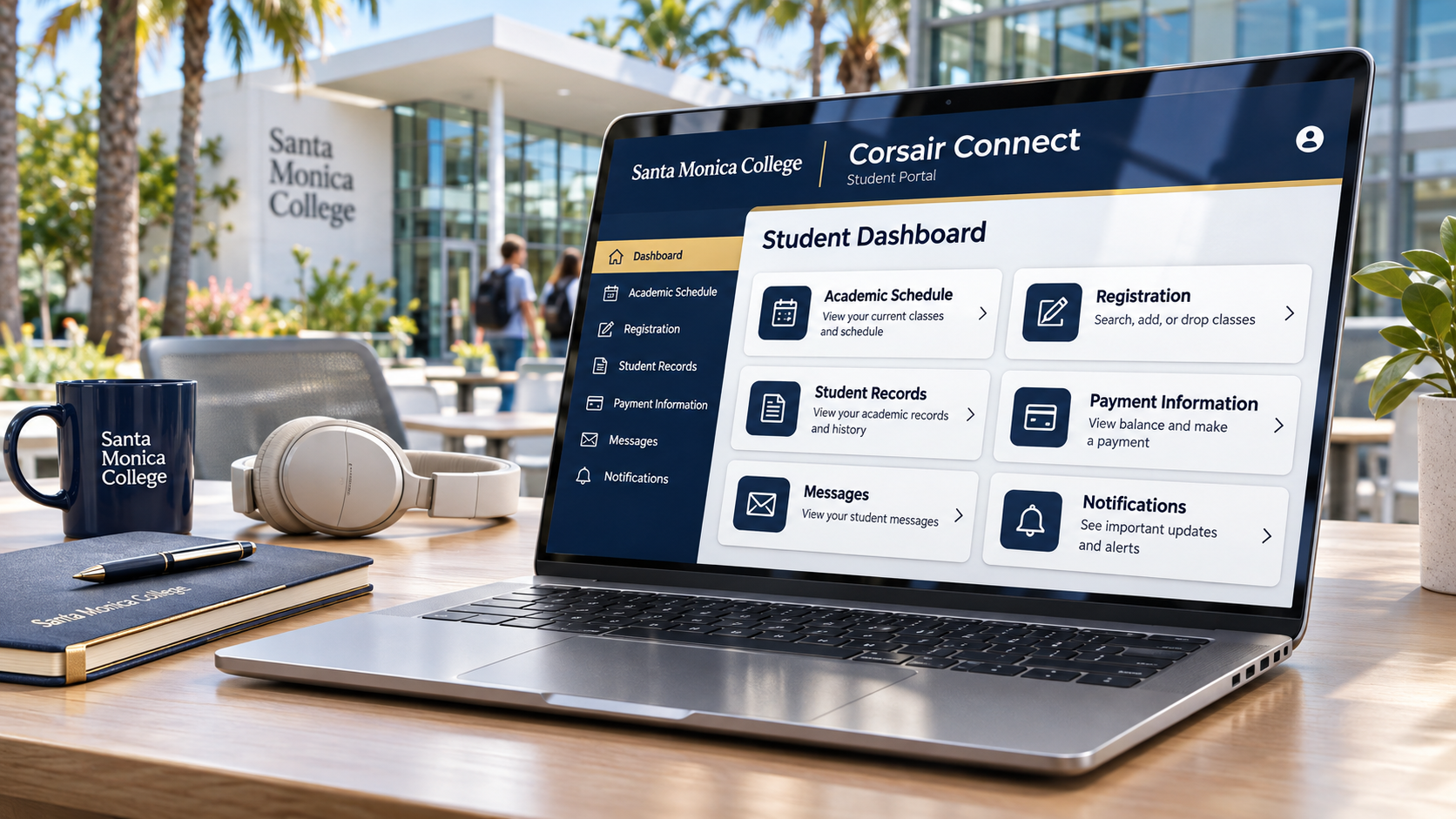
Corsair Connect is an essential online platform for students at Santa Monica College (SMC). It provides a centralized digital environment where students can manage academic responsibilities, access enrollment services, review class schedules, handle payments, and stay informed about important college activities. Instead of visiting multiple departments for routine administrative tasks, students can use this online system to access several services through one account.
As educational institutions continue to expand their digital services, student portals have become an important part of modern college life. Corsair Connect supports this transition by bringing essential academic and administrative functions together in one place. From registering for courses to checking financial aid information, the platform helps students organize their educational journey more efficiently.
For new students, understanding how the system works can make the enrollment process less complicated. Returning students can also benefit from learning about its features, account settings, and available support resources. This guide explores everything students should know about Corsair Connect, including its purpose, major functions, login instructions, common problems, and practical ways to use the platform.
Also Read: CDiPhone Explained: Apple Claims and CD Music Transfer
Corsair Connect Overview
Corsair Connect is the official student self-service portal operated by Santa Monica College in California, United States. The platform allows admitted and eligible students to access important college services through an online account.
The name Corsair comes from the athletic identity of Santa Monica College. The institution’s athletic teams are known as the Corsairs, making the portal’s name closely connected to the college’s identity and community.
The platform serves as a central point for academic administration. Students can use it to enroll in courses, drop classes, check their schedules, review student records, pay applicable fees, and access other educational resources.
Corsair Connect Biography and Quick Facts
| Category | Details |
|---|---|
| Platform Name | Corsair Connect |
| Organization | Santa Monica College |
| Institution Type | Public Community College |
| Location | Santa Monica, California, United States |
| Platform Category | Student Information and Self-Service Portal |
| Primary Users | Santa Monica College Students |
| Main Purpose | Academic and Administrative Management |
| Login Method | SMC Username and Password |
| Main Services | Enrollment, Payments, Student Records, Class Schedules |
| Student Email Access | Available Through the Portal |
| Learning Management System | Canvas |
| Account Support | Student Information Technology Help |
| Official Portal | Santa Monica College’s Corsair Connect |
| Availability | Online Access for Eligible SMC Students |
What Is the Purpose of Corsair Connect?
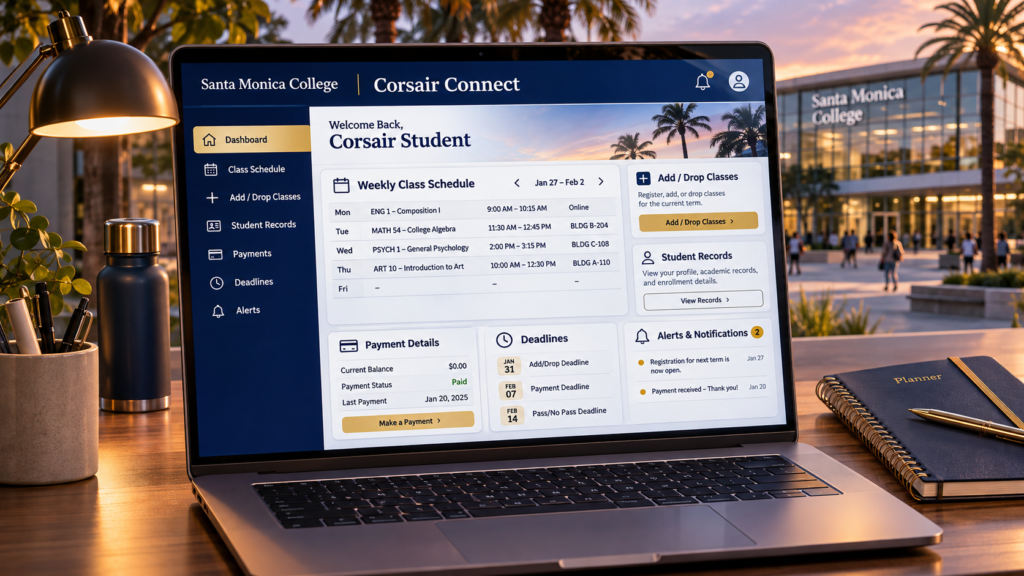
The primary purpose of Corsair Connect is to simplify the way students interact with Santa Monica College’s administrative and academic services. College life involves several responsibilities, including selecting courses, meeting registration deadlines, managing tuition payments, and maintaining accurate personal information.
Without a centralized system, students might need to contact different offices or complete separate administrative processes to handle these responsibilities.
Corsair Connect reduces that complexity by bringing many essential services into a single digital environment.
For example, a student preparing for a new semester can review available classes, check enrollment information, register for selected courses, and monitor their academic schedule. Another student who wants to review previous academic performance can access available student records through the same platform.
The system also helps students remain aware of important deadlines and account notifications. These features make it a useful resource throughout different stages of the college experience.
Main Features of Corsair Connect
The platform offers several functions designed to support academic organization and administrative convenience. Although individual services may have specific eligibility requirements or deadlines, the main features cover many routine student needs.
1. Online Class Registration
Course registration is one of the most important functions available through Corsair Connect. Students use the portal to enroll in classes for upcoming academic terms.
The enrollment process allows students to select courses based on their educational goals, program requirements, and available schedules.
Students generally need to identify the appropriate four-digit class section number before adding a course. After entering the required information, the system processes the enrollment request and provides a confirmation message when registration is successful.
This process helps students manage their academic schedules without completing every enrollment transaction in person.
2. Adding and Dropping Classes
Academic plans sometimes change after registration. Students may need to select a different course, adjust their schedules, or remove a class they no longer intend to attend.
Corsair Connect provides options for adding and dropping classes through its Classes and Enrollment section.
Students can select the appropriate academic term and enter the relevant section number to complete the requested transaction.
The system also supports class-swapping procedures, allowing students to replace one course with another when the necessary conditions are satisfied.
However, students should always review registration deadlines and the college’s academic policies before making changes. Dropping a class can affect financial aid eligibility, academic progress, and other enrollment-related requirements.
3. Class Schedule Management
Keeping track of class times, locations, and enrollment details is important for maintaining an organized academic routine.
Through Corsair Connect, students can review their current class schedules and check information about their registered courses.
This feature is particularly useful at the beginning of a semester, when students may need to confirm their enrollment details or review changes to their schedules.
The portal also provides access to information about upcoming academic dates and deadlines, helping students stay aware of important administrative requirements.
4. Student Records and Academic Information
Students often need access to their academic records for personal reference, educational planning, or future applications.
Corsair Connect includes a Student Records section where eligible students can review information such as unofficial grades, transcripts, and assessment scores.
These records can help students understand their academic progress and identify areas that may require additional attention.
For official documentation, students should follow Santa Monica College’s designated transcript ordering procedures. An unofficial transcript displayed through the portal should not automatically be treated as an official academic document.
5. Financial Aid Information
Financial assistance can play an important role in making higher education more accessible.
Corsair Connect provides access to financial aid-related information, allowing students to review available awards and related account details.
Students may use the platform to monitor their financial aid information and stay informed about administrative requirements.
It is important to understand that accessing financial aid information through the portal does not guarantee that a student qualifies for a particular award. Eligibility depends on applicable financial aid rules, documentation, enrollment status, and institutional requirements.
Students should also monitor their college communications for requests involving missing documents or additional verification.
6. Online Fee Payments
Managing college expenses is another important responsibility for students.
Corsair Connect provides an online payment option that allows students to review and pay applicable college fees.
Having payment services available through the portal can reduce the need for routine visits to the Cashier’s Office.
Students should review their account balances and payment information carefully before completing transactions. Keeping payment receipts and checking transaction confirmations can also help resolve potential billing questions.
Also read: Incestflox Explained: Meaning, Website and Safety Checks
7. Student Email Access
Communication between students and college departments is an essential part of the educational experience.
Corsair Connect provides access to the official Santa Monica College student email service through its navigation menu.
Students can use this email account to communicate with instructors, administrative offices, and other college representatives.
Regularly checking the assigned student email address is important because college announcements, enrollment information, and administrative messages may be delivered through this account.
Students should also remember that their institutional email account is intended for college-related communication. It should not be treated as a permanent personal email address.
8. Personal Profile and Contact Information
Keeping personal information accurate helps the college maintain reliable student records.
The portal includes profile management options that allow students to review and update certain details, including contact information and educational goals.
Depending on the type of change, some requests may require additional documentation or assistance from the appropriate college department.
Students should review their information periodically, particularly when their mailing address, phone number, or educational plans change.
How to Log In to Corsair Connect
Accessing the platform is relatively straightforward for students who already have an activated Santa Monica College account.
The login process requires the appropriate SMC account credentials.
Step-by-Step Login Instructions
Step 1: Visit the Santa Monica College Website
Open the official Santa Monica College website using a web browser. Students can also use the institution’s designated Corsair Connect login page.
Step 2: Find the Corsair Connect Login
Select the login option and choose Corsair Connect from the available student services.
Step 3: Enter Your SMC Username
Provide your assigned SMC username in the appropriate field. The username is not necessarily the same as your student identification number.
New students should check their college welcome or account information email for the correct login details.
Step 4: Enter Your Password
Type the password associated with your activated SMC account. Make sure that the information is correct because passwords are case-sensitive.
Step 5: Complete Any Required Authentication
Follow any additional security instructions presented during the sign-in process. Santa Monica College requires multi-factor authentication for its online services.
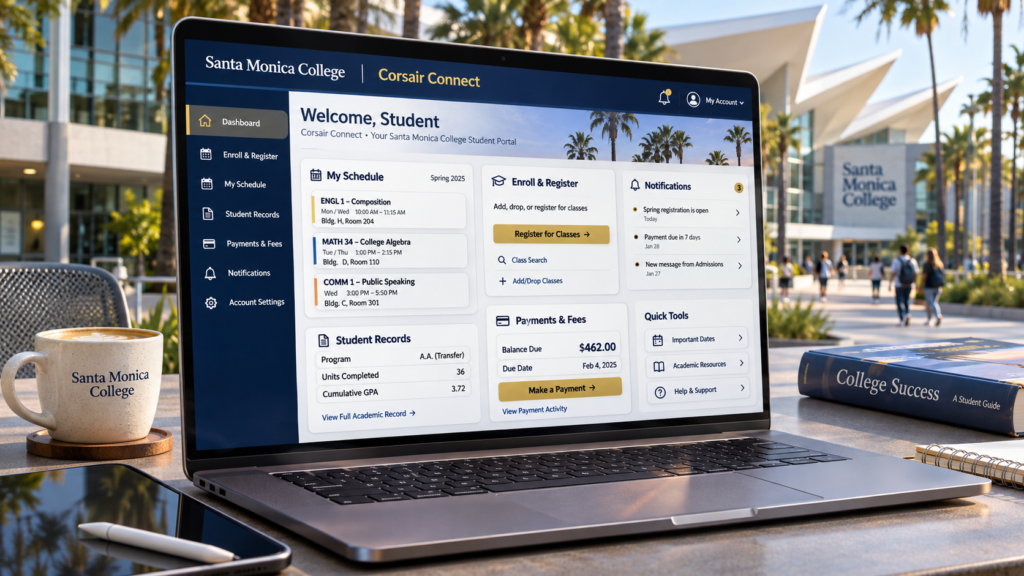
Step 6: Access Your Student Dashboard
After successful authentication, you should be directed to the main portal interface.
From there, you can navigate through enrollment services, student records, account information, email access, and other available features.
How New Students Can Activate Their Accounts
Students who have recently received admission to Santa Monica College may need to activate their online accounts before accessing the institution’s digital services.
Account activation establishes the credentials required to use the college’s online systems.
The process generally involves confirming the student’s identity, following the instructions provided by Santa Monica College, and creating or establishing the required account credentials.
New students should carefully review the admission and account information emails sent by the institution.
Once activation is complete, students can use their assigned credentials to access Corsair Connect and other supported college services.
It is also important to distinguish between admission to the college and activation of online services. Receiving an admission decision does not necessarily mean that every online service is immediately available.
Understanding the Corsair Connect Dashboard
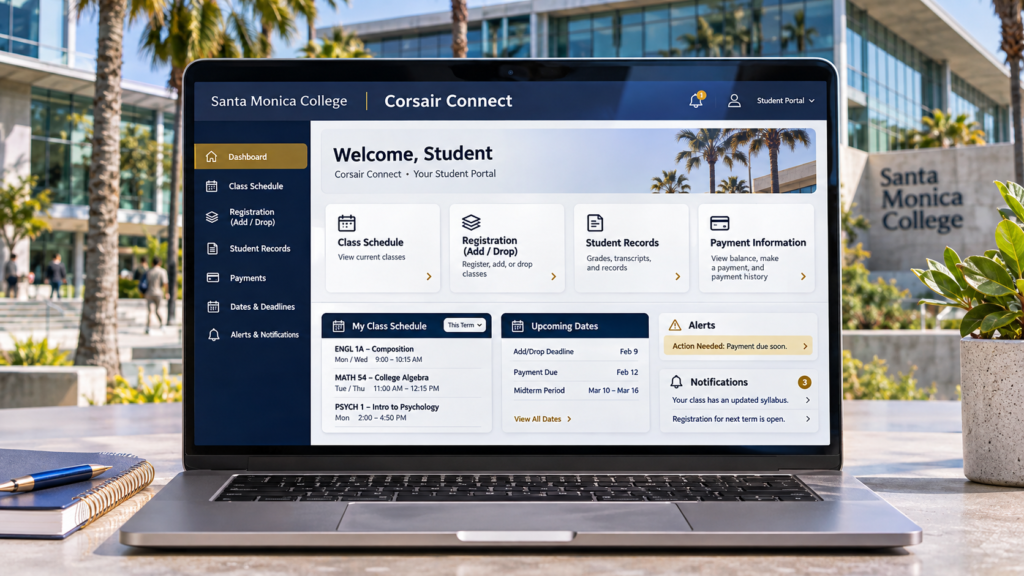
After logging in, students are directed to a central dashboard that provides access to important account information and administrative functions.
The dashboard is designed to make commonly used services easier to locate.
Home and Profile
This section provides access to personal account information, profile preferences, and other student-related details.
Students can review their contact information and update eligible profile settings.
Classes and Enrollment
This is one of the most frequently used sections of the portal.
It contains functions related to course registration, dropping classes, swapping courses, waitlists, and other enrollment activities.
Student Records
The Student Records section allows students to access available academic information, including unofficial grades and transcripts.
Account and Payment Information
Students can review applicable financial information and access available payment services.
Upcoming Dates and Deadlines
Academic deadlines are important because missing them can affect enrollment options and other college processes.
The dashboard helps students monitor relevant dates and stay informed about upcoming requirements.
How to Use Schedule Planner
Schedule Planner is another useful resource available through the Corsair Connect environment.
It helps students develop a preferred class schedule by considering their personal availability and scheduling requirements.
For example, a student who works during the afternoon may prefer morning courses. Another student may want to arrange classes around family responsibilities, transportation, or dedicated study periods.
Schedule Planner helps organize these preferences and identify possible course combinations.
However, students should understand an important distinction: Schedule Planner helps prepare a preferred schedule, but it does not independently complete course enrollment.
Students must still use the appropriate enrollment functions within Corsair Connect to register for their selected classes.
Accessing Canvas Through Corsair Connect
Canvas is Santa Monica College’s online learning management system. It provides a digital environment where instructors can distribute course materials and manage learning activities.
Students may access Canvas through the college’s website and supported login services.
Once inside Canvas, students can find course announcements, assignments, discussions, quizzes, instructional materials, and other resources provided by their instructors.
Although Canvas and Corsair Connect are connected within the broader college technology environment, they serve different purposes.
Corsair Connect primarily manages student administration and enrollment, while Canvas supports online teaching and learning.
Understanding this distinction makes it easier for students to find the correct platform for a particular task.
How to Fix Common Corsair Connect Login Problems
Occasionally, students may experience difficulties accessing their accounts. These problems can occur because of incorrect credentials, incomplete account activation, authentication requirements, or temporary technical issues.
Understanding the possible causes can help students identify the appropriate solution.
Incorrect Username or Password
One of the most common login problems involves entering incorrect account credentials.
Students should verify that they are using their assigned SMC username rather than assuming their student ID number will work.
They should also check capitalization and ensure that their password has been entered correctly.
Forgotten Password
Students who cannot remember their passwords can use the account recovery option available on the login page.
The recovery process provides instructions for resetting a password or resolving credentials that are no longer working.
If online recovery is unsuccessful, students can contact the college’s Student Information Technology Help service.
Account Not Activated
New students may be unable to access the portal if their online services have not been activated.
In this situation, they should follow the official account activation instructions provided by Santa Monica College.
Multi-Factor Authentication Issues
Additional authentication requirements can sometimes prevent students from completing the login process.
Students should follow the instructions displayed during authentication and ensure that they can access their registered verification method.
If the issue continues, contacting student technology support is the appropriate next step.
Temporary Technical Problems
Occasionally, access difficulties may result from browser issues, connectivity problems, or temporary service interruptions.
Students can try refreshing the login page, using an updated browser, or checking their internet connection.
They should avoid repeatedly submitting incorrect login attempts, as this may create additional account access problems.
Security and Privacy Considerations
Student portals contain personal and academic information, making account security an important consideration.
Students should protect their Corsair Connect credentials and avoid sharing passwords with friends, classmates, or unauthorized individuals.
Using a strong password and completing the required authentication procedures can help protect account information.
It is also advisable to sign out after using the portal on a shared or public computer.
Students should be cautious about suspicious emails or messages that request account credentials. Official account-related instructions should be verified through recognized Santa Monica College communication channels.
Another important consideration involves institutional email accounts. Students should avoid using their college email address for unrelated personal financial accounts or services, particularly because access to institutional email may end after they stop attending the college.
Who Can Use Corsair Connect?
Corsair Connect is intended primarily for Santa Monica College students who have eligible and activated online accounts.
Newly admitted students may gain access after completing the required account activation process.
Currently enrolled students can use the platform for regular academic and administrative activities.
Returning students may also retain access depending on their admission and enrollment history.
However, access is not necessarily permanent. Santa Monica College explains that online service availability can be affected by the time since a student’s last class or most recent admission application.
Students who have been away from the institution for an extended period may need to reapply or resolve their account eligibility before accessing the portal again.
Why Corsair Connect Matters to Santa Monica College Students
A centralized student portal can make college administration more manageable.
Corsair Connect brings together several services that students may need throughout their academic experience. This reduces the complexity of handling routine administrative responsibilities through separate systems.
Its importance becomes particularly clear during registration periods, when students need to review available courses, manage enrollment, and meet important deadlines.
The platform also supports better academic organization by providing access to class schedules and student records.
For students balancing education with employment, family responsibilities, or other commitments, having access to essential college services online can make everyday planning more convenient.
The platform does not replace academic advising, direct communication with instructors, or specialized administrative support. Instead, it provides a practical digital foundation that helps students manage many routine college responsibilities independently.
Getting the Most Out of Your Student Portal
Students can improve their experience by developing a few simple habits.
First, they should check their portal regularly rather than waiting until registration periods or payment deadlines.
Second, they should keep their personal contact information accurate so that important college communications can reach them.
Third, students should monitor their enrollment status after adding or dropping classes. A confirmation message can help establish whether a transaction was successfully completed.
Finally, students should become familiar with the different sections of the portal early in their academic journey.
Learning where to find class schedules, student records, account information, and enrollment tools can save time later.
A student who understands these features is generally better prepared to manage routine academic responsibilities without unnecessary confusion.
Frequently Asked Questions (FAQs)
1. What is Corsair Connect?
Corsair Connect is the official online student self-service portal of Santa Monica College. It allows students to manage enrollment, review class schedules, access student records, pay fees, and use other college services.
2. How do I access Corsair Connect?
Students can access the platform through Santa Monica College’s official website or its designated login page. They must enter their assigned SMC username and password and complete any required authentication steps.
3. Is Corsair Connect only for Santa Monica College students?
Yes. The portal is designed for eligible Santa Monica College students and provides access to institution-specific academic and administrative services.
4. Can I register for classes through Corsair Connect?
Yes. Students can use the Classes and Enrollment section to add courses, drop classes, swap courses, and access available waitlist functions, subject to enrollment rules and deadlines.
5. Can I check my grades on Corsair Connect?
Students can access available academic records through the Student Records section. This includes unofficial grades and transcript information. Official transcript requests follow the college’s designated procedures.
6. How can I reset my Corsair Connect password?
Select the account access recovery option on the login page and follow the instructions for forgotten or nonworking passwords. Students who cannot complete recovery online should contact Student Information Technology Help.
7. Can I access my SMC student email through Corsair Connect?
Yes. The portal includes an SMC Email option that directs students to their institutional email account through the college’s sign-on system.
8. Does Corsair Connect provide financial aid information?
Yes. Students can access available financial aid information through the platform. However, award eligibility and payment decisions depend on applicable institutional and financial aid requirements.
9. What is the difference between Corsair Connect and Canvas?
Corsair Connect focuses on student administration, including registration, payments, and academic records. Canvas is the learning management system used for assignments, course materials, announcements, discussions, and other instructional activities.
10. Who should I contact if I cannot access my account?
Students experiencing login difficulties can contact Santa Monica College’s Student Information Technology Help service. The college also provides account recovery instructions for common password and username problems.
11. Can former students still use Corsair Connect?
Access depends on the student’s account eligibility and enrollment history. Santa Monica College may deactivate online services after specific periods of inactivity or when admission-related eligibility expires.
12. Does Schedule Planner automatically enroll students in classes?
No. Schedule Planner helps students organize preferred course schedules, but actual enrollment must be completed through the appropriate Corsair Connect enrollment functions.
A More Organized Approach to College Administration
Managing academic responsibilities becomes easier when students understand the digital resources available to them. From registration and financial information to student records and institutional communication, a well-organized portal can make everyday college administration more accessible.
For Santa Monica College students, Corsair Connect serves as an important part of this process. Learning how to navigate its dashboard, use enrollment tools, maintain account information, and resolve common login problems can help students make better use of their college resources.
Ultimately, the value of the platform lies in how effectively students incorporate it into their academic routines. Regular access, careful account management, and an understanding of available services can turn a basic student portal into a practical tool for navigating college life.

1 Comment
Pingback: DPBoss: Understanding Its Meaning, Online Presence, Features, History, and Digital Reputation - thehypernews.co.uk